HOW TO PLAN
LIKE A PRO
THE TRAVELLER’S GUIDE TO PLANNING LIKE A PRO
Whether it’s a holiday, a work trip or even your honeymoon… these nifty tips can help you get the best deals on flights + hotels.

#1: LOOK AT WHERE YOU TAKE OFF AND LAND
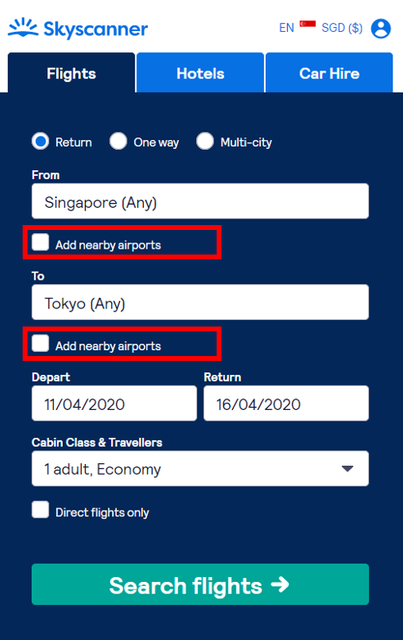
Did you know that the airports you depart from and arrive at can affect air ticket prices? Different airports, even if they are in the same city, may have different tax fees and airline charges.
To get a full list of your options, make sure to include nearby airports in your ticket search. Simply select the ‘Add nearby airports’ option. Searching by city instead of a specific airport will also show you fares from the different airports available.
Real example: Let’s say you’re travelling from Singapore to Tokyo, same dates, on a Full-Service Airline, landing at Narita may be cheaper than Haneda. In fact, our data shows that travellers can save anywhere between $60 – $150 by doing so!
#2: SEE INTO THE FUTURE
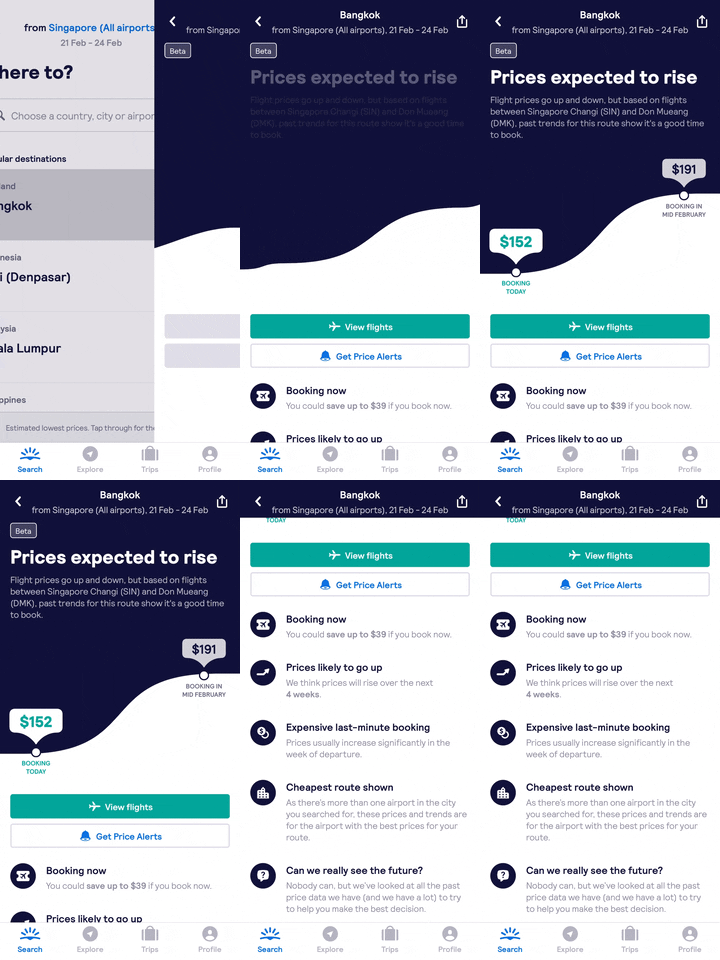
“Should I book or wait a week for a better price?” Take the guesswork out with the new Price Prediction feature on our Skyscanner App.
With machine learning and predictive analysis being applied to our proprietary database of flight pricing, Price Prediction shows you whether the flight price is likely to drop, rise or stay the same between your booking and departure dates.
#3: BEING FLEXIBLE SAVES
If you’re a fan of finding cheap flights, you might already be familiar with how flexible travel dates can get you great savings. But did you know that you can also get a better deal by avoiding popular days, such as Friday.
To help you quickly identify what’s a good day to depart or return, meet two of our most helpful features: Calendar View and Chart View.

Calendar View
The traffic light colour coded dates immediately reveal which days have below average, average or expensive flight prices.
· Download and open the Skyscanner App
· Select flights and key in your destination
· Instead of typing in a specific date, select the ‘depart’ date field to get to ‘Calendar View’.
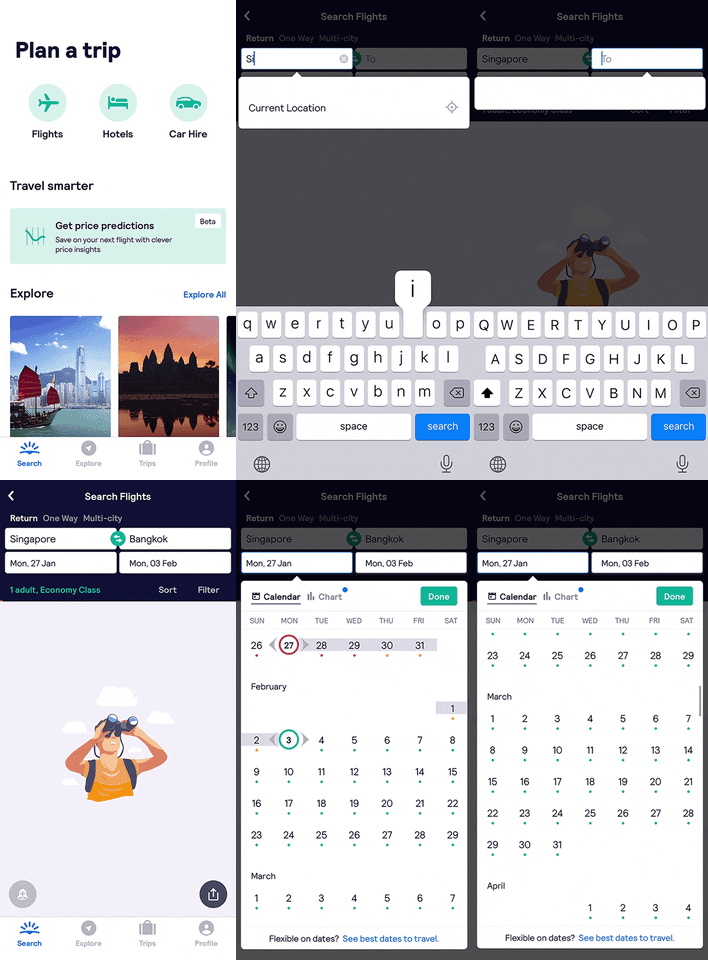
Chart View
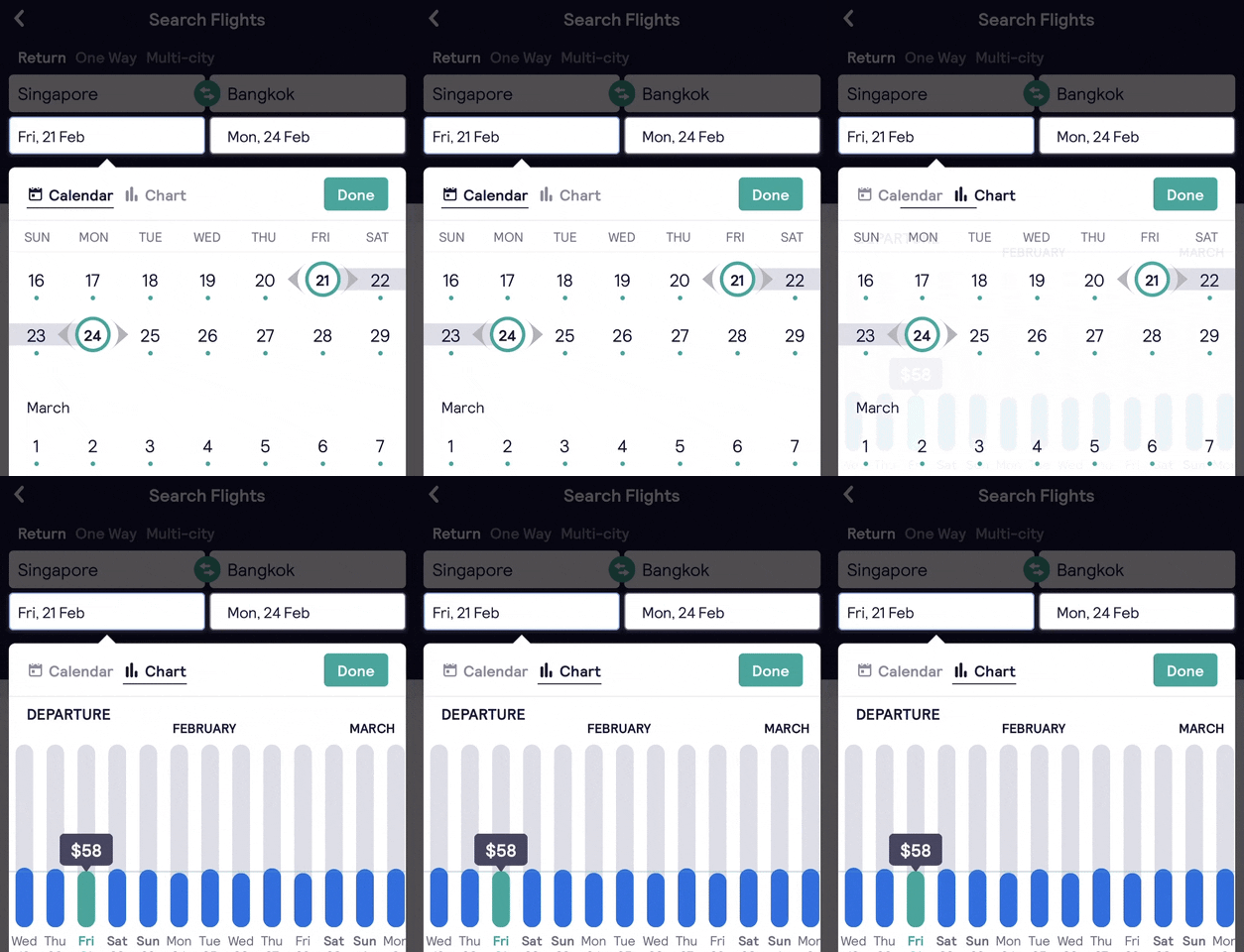
The departure and return dates in ‘Chart’ view shows you the flight prices per day, based on the estimated lowest prices per person for Economy Class.
- Download and open the Skyscanner app
- Select flights and key in your destination
- Instead of typing in a specific date, select the ‘depart’ date field to get to ‘Calendar View’
- From ‘Calendar View’, select the ‘Chart’ option tab next to it
#4: PUT A RING ON IT WITH PRICE ALERTS
It’s okay if you’re not ready to book right now, just set up a price alert! Click on the bell icon and you’ll be notified when the price of your flights or hotels change.
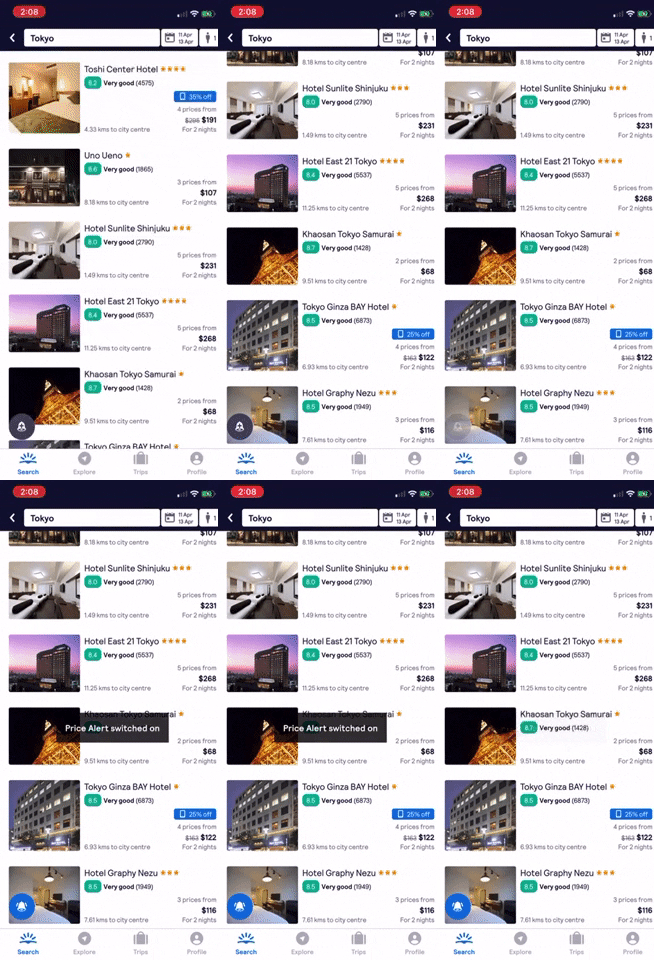
#5: SAVE TIME AND MONEY WITH MAP & FILTERS
Search for your hotel with the map feature to see the range of price options in the area. Sometimes you can upgrade yourself to a better hotel for the same price that’s just a street away.
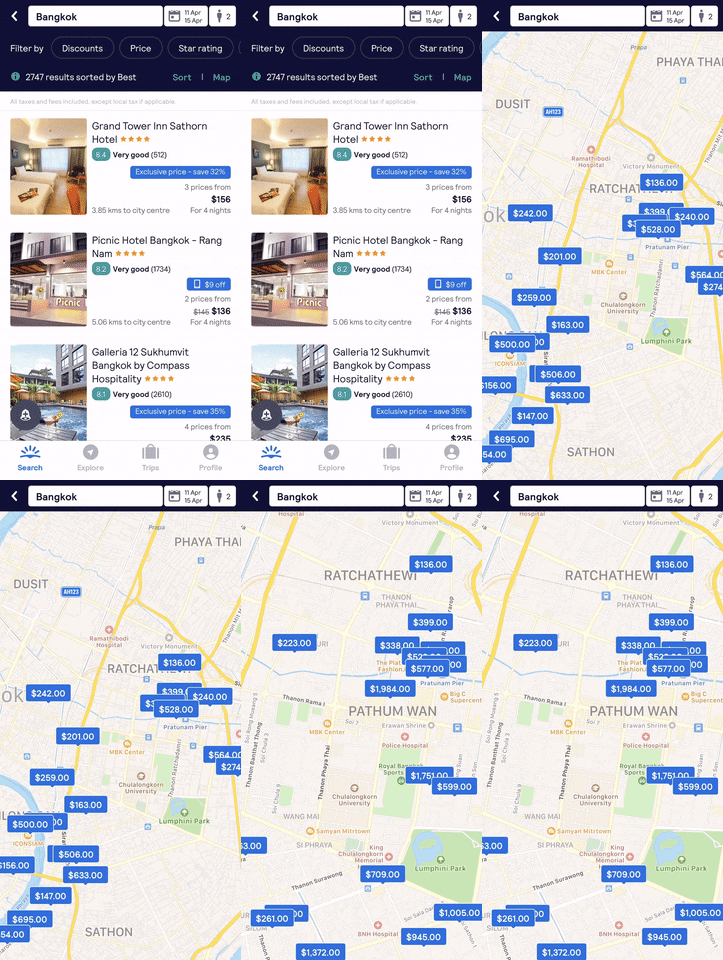
Instead of trawling through thousands of hotel options, save time when you use filters to narrow down your search and find your perfect hotel quickly.

#6: ENJOY HOTEL DISCOUNTS WHEN YOU BOOK WITH OUR APP
Look out for the blue labels in the hotel listing page on our app and enjoy exclusive room rates or discounts. You can also set it as a filter to only show hotels on offer.

Now you’re ready to book like a pro. Yay!